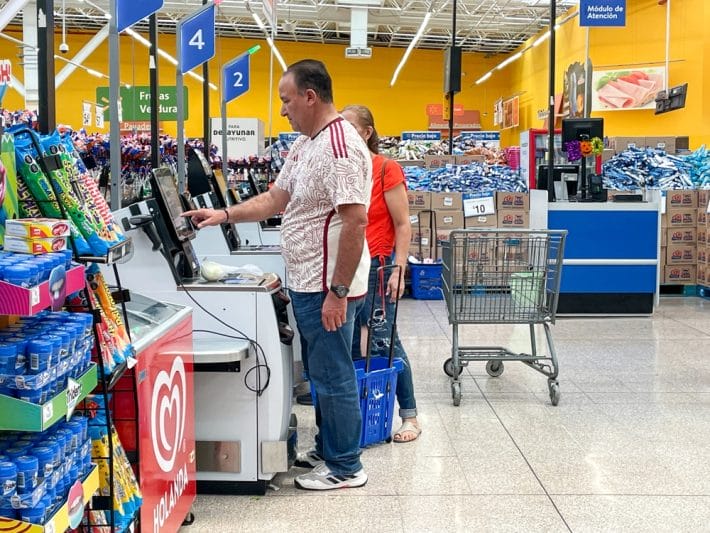
Self-checkout might feel like the fastest way to get in and out of Walmart, but employees say it’s also one of the most monitored areas in the store. With advanced cameras, weight sensors, and AI tracking every move, even small mistakes can trigger alerts and bring over an associate. Walmart has invested heavily in “missed scan detection” technology that can pause your transaction and notify staff if something looks off. The tricky part? Many of the habits that get flagged are everyday behaviors shoppers don’t even realize look suspicious. Here are seven common self-checkout habits that could get you flagged and what you can do to avoid them.
1. Scanning Too Quickly or “Fake Scanning”
Rushing through self-checkout might seem harmless, but it’s one of the biggest red flags. Systems track scan speed and can flag transactions that appear unusually fast or inconsistent. If you move items across the scanner without properly registering them, the AI may interpret it as a missed scan.
Even if you think everything scanned correctly, the system compares what it “sees” to what’s recorded. Employees say this is one of the most common reasons a machine pauses mid-transaction. Slowing down and double-checking each scan can help you avoid unnecessary attention.
2. Placing Items Directly in Bags Without Scanning
This is one of the quickest ways to trigger a system alert. Cameras and sensors are designed to detect when items go from the cart to the bagging area without a confirmed scan.
Once flagged, the machine may freeze and call over an employee. In some cases, the system even replays footage of the action on-screen. To stay safe, always scan first, then bag.
3. Weight Mismatches in the Bagging Area
Self-checkout machines don’t just rely on barcodes. They also track weight. If the weight of the item in the bagging area doesn’t match what was scanned, it can trigger an alert instantly. This often happens with produce, bulk items, or when customers accidentally enter the wrong code.
The smallest discrepancies can cause the system to stop your checkout. Employees then have to verify the item manually, which can slow everything down. Being careful with produce codes and quantities helps prevent this issue.
4. Leaving Items in the Cart (Especially on the Bottom Rack)
Items left in the cart, especially large ones like water cases or pet food, are heavily monitored. Some stores now use stickers or visual checks to confirm that those items were scanned before you leave. If the system doesn’t detect a scan for those items, you may be flagged for review at checkout or even at the exit.
Employees say this is a frequent source of confusion for shoppers who simply forget. Always double-check your cart before finishing your transaction. It only takes one missed item to trigger a response.
5. Scanning the Wrong Item or Using the “Cheaper Item” Trick
Mixing up similar items can also get you flagged. For example, scanning regular produce while bagging organic (or scanning a cheaper version of a product) raises immediate suspicion. The system is trained to detect mismatches between scanned items and what appears on camera.
Even if it’s an honest mistake, it can look like intentional “barcode switching.” In more serious cases, this behavior has led to criminal charges. Paying close attention to what you scan versus what you bag is key.
6. Getting Distracted Mid-Checkout
Distractions are more dangerous than most shoppers realize. Whether it’s your phone, kids, or a conversation, losing focus can lead to missed scans or incomplete transactions.
Walking away without finishing payment (even accidentally) can be treated as theft. Employees say many flagged incidents start with simple distractions, not intent. Staying focused until you receive your receipt is one of the easiest ways to avoid problems.
7. Acting Nervous or Looking Around Frequently
This one surprises a lot of people, but behavior matters too. Loss prevention teams and AI systems may interpret repeated glances around the area as suspicious activity. Combined with other factors, like missed scans or bagging errors, it can increase the chances of being flagged.
Employees are trained to observe patterns, not just single actions. Even if you’re just anxious or in a hurry, it can be misread. The best approach is to stay calm, scan normally, and follow the process step by step.
Shop Smart So You Don’t Get Flagged
Retailers are facing massive losses from theft and errors, especially at self-checkout. Industry estimates show billions of dollars are lost annually due to “shrinkage,” which includes theft and scanning mistakes. In response, stores have rolled out AI-powered monitoring systems that track every movement at the register. While this technology helps prevent theft, it also means honest shoppers can get caught in the system.
The key takeaway is simple: most self-checkout flags come from small, preventable mistakes. Slowing down, scanning carefully, and staying focused can make a big difference. A few extra seconds can save you from an awkward (or stressful) situation.
Have you ever been flagged or stopped at self-checkout… even by mistake? Share your experience in the comments and let others know what happened.
What to Read Next
Walmart+ Has Hidden Perks for Seniors — Including Free Grocery Delivery and Gas Savings
Here’s Why Walmart Doesn’t Allow You to Tap Your Credit or Debit Card for Payment
10 Smart Shopping Hacks to Maximize Your Cashback Rewards
How AI Shopping Assistants Can Slice Your Cart Total Without Coupon Hunt Pain
Is It Dangerous to Go Grocery Shopping at the Same Time Every Week?

Drew Blankenship is a seasoned personal finance and lifestyle writer with more than a decade of professional writing experience crafting clear, actionable advice that helps savers and investors over 40 protect their wealth and make smarter everyday decisions. His bylines appear regularly on SavingAdvice.com, CleverDude.com, and other respected outlets, where he draws on deep industry knowledge to deliver practical insights on cost control, smart spending, and long-term financial security.
Read More


Retail Play Some analysts are singing the blues over retail stocks. Their version of “Deck…


As the largest U.S. retailer, many people rely on Walmart for their basics and household…

For decades, we’ve been told that certain frugal habits are smart ways to stretch a…

Today, people have an increasing number of options when they’re checking out during a shopping…
With inflation on the rise, we’re all trying to save money on everyday essentials…

You need assistance from Walmart. Therefore, it's time to contact customer service. But what's the…
Comments