
We’ve all seen them. Pop-up warnings on your phone. For Android users, it is happening more often, and the message may claim that your “Google account is at risk.” While that may seem urgent, you should always be cautious anytime you are clicking on anything on your phone. No matter how official the alert may look, it could be a scam.
The latest cybersecurity alerts have noted that many of these scam messages trick users into giving away personal data or installing harmful software. Much of the time, they rely on manipulation. That said, here is what you need to know about these scam pop-ups posing as Google, and what you can do to protect yourself.
These Pop-Ups Are Designed to Look Exactly Like Google
One of the most dangerous aspects of Android scam pop-ups is how real they appear. Scammers copy logos, colors, and layouts to mimic official Google security pages almost perfectly. In some cases, the pop-up even walks you through a “security check” process that feels legitimate. The goal is simple: make you believe you’re protecting your device when you’re actually exposing it. If something looks urgent and polished, that’s often part of the trap, not proof it’s real.
They Use Fear and Urgency to Force Quick Decisions
Scammers know that panic leads to poor decisions, so they design Android scam pop-ups to feel urgent. Messages often warn that your account has been compromised or your device is infected with a virus. They may include countdown timers or bold warnings like “Act Now” to pressure you into clicking quickly. Experts say this tactic is especially effective with older adults, who may prioritize security and respond immediately. The truth is, legitimate companies like Google rarely use pop-ups to demand immediate action.
Clicking “Fix Now” Can Give Hackers Full Access
What happens if you follow the instructions? In many cases, you’re asked to install a “security update” or grant permissions to fix the issue. These permissions can include access to your contacts, location, messages, and even your microphone. Some scams go further, installing hidden apps that can monitor everything you do on your phone. What feels like a quick fix can quickly turn into a full device takeover.
Some Scams Don’t Even Require an App Download
Here’s where things get even more concerning… Modern Android scam pop-ups don’t always require you to install anything. Some operate through your browser, turning a simple web page into a powerful surveillance tool. These scams can collect data like your location, clipboard contents, and login information just by getting you to click through prompts. That means even cautious users can be affected if they trust the wrong page. Closing the tab isn’t always enough if permissions were granted.
Older Adults Are Being Targeted More Than Ever
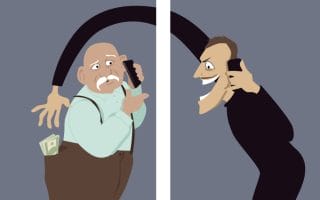
Cybersecurity reports consistently show that older adults are a primary target for these types of scams. Fraud losses among people over 60 have surged in recent years, reaching billions annually. Scammers often impersonate trusted brands like Google, banks, or government agencies to build credibility. They also rely on emotional triggers like fear or urgency to increase success rates. This combination makes Android scam pop-ups especially dangerous for seniors.
Common Red Flags You Should Never Ignore
Recognizing warning signs can help you avoid falling victim to these scams. Pop-ups that appear suddenly while browsing, especially those claiming your device is infected, are a major red flag. Requests to install unfamiliar apps, enable notifications, or share personal data should always raise suspicion. Legitimate companies don’t ask for sensitive information through random pop-ups. If something feels off, trust your instincts and exit immediately.
What to Do If You’ve Already Clicked One
If you’ve interacted with a suspicious pop-up, don’t panic, but act quickly. Start by closing the page and checking your installed apps for anything unfamiliar. Change passwords for important accounts, especially email and banking. Running a mobile security scan can help identify hidden threats.
But you can protect yourself from being victimized altogether. Take these tips and keep them in mind.
- Never click on pop-ups claiming to be from Google or any other company.
- Go directly to the official website instead.
- Keep your device updated and avoid downloading apps from unknown sources.
- Talk to family members, especially older relatives, about these risks so they know what to watch for.
At the end of the day, protecting yourself from Android scam pop-ups comes down to one key habit: pause before you click. These scams rely on quick reactions, not careful thinking. Taking just a few extra seconds to question what you’re seeing can make all the difference. The more aware you are, the harder it becomes for scammers to succeed.
Have you ever seen one of these fake Google pop-ups on your phone? What did you do? Share your experience in the comments to help others stay safe.
What to Read Next
Social Security Warning: 3 New Scams Retirees Must Avoid Immediately
Medicare Alert: Scammers Are Mailing Seniors ‘Updated Benefits Cards’ — They’re After Your SSN
New Scam Targets Seniors With Fake Medical Devices — Here’s How to Spot It
Social Security Scam Surge: Ask This One Question Before You Give Your Number
5 Medical Scams That Target Seniors—and Are Still Working Today

Drew Blankenship is a seasoned personal finance and lifestyle writer with more than a decade of professional writing experience crafting clear, actionable advice that helps savers and investors over 40 protect their wealth and make smarter everyday decisions. His bylines appear regularly on SavingAdvice.com, CleverDude.com, and other respected outlets, where he draws on deep industry knowledge to deliver practical insights on cost control, smart spending, and long-term financial security.
Read More


Student Loan Forgiveness Scams When President Biden announced his plan to cancel up to $20,000…

With more and more news stories of credit card theft, people begin to look for…

A Credit Karma survey found that somewhere around 37% of tax-paying Americans rely on their…

Unfortunately, many scams target older adults because scammers know that they are more likely to…

For every legitimate opportunity out there, there's always going to be someone who takes advantage…
Overpayment scams target people who don't have money to spare and steal it from them.…
Comments